Our Blog
Insights, news, and updates from the team at 7Experts.
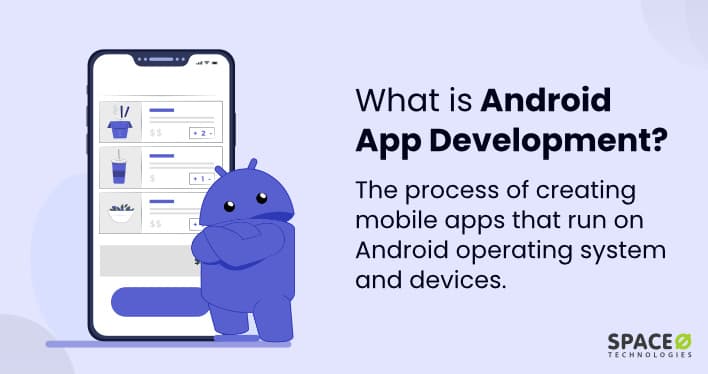
What is Android App Development?
Mobile App Development: Complete Guide by 7Experts
Mobile applications have become an essential part of modern businesses. Whether you're running an eCommerce store, restaurant, healthcare service, educational platform, or startup, a mobile app can help you reach customers faster and provide a better user experience.
At 7Experts, we develop high-performance mobile applications using modern technologies such as Flutter, React Native, Firebase, Android Studio, and Dart. Our goal is to create secure, scalable, and user-friendly applications that help businesses grow in the digital world.
What is Mobile App Development?
Mobile App Development is the process of designing, building, testing, and maintaining applications for smartphones and tablets.
Mobile apps can be developed for:
- Android Devices
- iOS Devices
- Cross-Platform Applications
- Enterprise Applications
- E-commerce Applications
- On-Demand Service Apps
Modern mobile applications focus on speed, security, performance, and seamless user experiences.
How 7Experts Develop Mobile Applications
1. Business Analysis
We understand your business model, target audience, and application requirements.
2. UI/UX Design
Our designers create modern and user-friendly interfaces that improve customer engagement.
3. Technology Selection
We choose the best framework and backend technologies based on your project needs.
4. App Development
Our developers build high-performance applications using industry-standard technologies.
5. Testing & Quality Assurance
- Performance Testing
- Security Testing
- Device Compatibility Testing
- User Experience Testing
6. App Deployment
We publish applications on Google Play Store and Apple App Store.
7. Maintenance & Support
We provide updates, bug fixes, security patches, and feature enhancements.
What is Flutter?
Flutter is Google's open-source framework used to build beautiful and high-performance mobile applications from a single codebase.
With Flutter, developers can create Android and iOS applications simultaneously, reducing development time and cost.
Advantages of Flutter
- Single Codebase for Android & iOS
- Fast Development Process
- Beautiful User Interfaces
- High Performance
- Strong Community Support
- Cost Effective Development
Best For
- Business Apps
- E-commerce Apps
- Food Delivery Apps
- Healthcare Apps
- Startup Applications
What is Dart?
Dart is the programming language developed by Google and used to build Flutter applications.
Dart is known for its simplicity, speed, and ability to create high-performance mobile applications.
Benefits of Dart
- Easy to Learn
- Fast Compilation
- Strong Performance
- Cross-Platform Development Support
- Excellent Integration with Flutter
What is React Native?
React Native is an open-source framework developed by Facebook that allows developers to build Android and iOS applications using JavaScript and React.
It enables businesses to launch applications faster while maintaining a native app experience.
Advantages of React Native
- Cross-Platform Development
- Reusable Components
- Faster Development Time
- Large Developer Community
- Native-Like Performance
Best For
- Social Media Apps
- Business Applications
- Marketplace Apps
- Customer Service Apps
- Enterprise Solutions
Flutter vs React Native
| Feature | Flutter | React Native |
|---|---|---|
| Programming Language | Dart | JavaScript |
| Performance | Excellent | Very Good |
| UI Customization | Excellent | Good |
| Development Speed | Fast | Fast |
| Community Support | Growing | Large |
| Best For | Custom UI Apps | Business Apps |
What is Firebase?
Firebase is Google's cloud-based backend platform that helps developers build and manage applications without creating a complex server infrastructure.
Firebase Features
- User Authentication
- Realtime Database
- Cloud Firestore
- Push Notifications
- Cloud Storage
- Analytics
- Hosting Services
Benefits of Firebase
- Faster Development
- Scalable Infrastructure
- Real-Time Data Synchronization
- Secure Authentication
- Easy Integration with Flutter & React Native
What is Android Studio?
Android Studio is Google's official Integrated Development Environment (IDE) for Android application development.
It provides developers with all the necessary tools to build, test, debug, and publish Android applications.
Features of Android Studio
- Code Editor
- Android Emulator
- Performance Monitoring
- Debugging Tools
- App Testing Tools
- Google Play Integration
Native vs Cross-Platform App Development
Native Apps
Native applications are developed specifically for one platform such as Android or iOS.
- Maximum Performance
- Platform-Specific Features
- Better Hardware Access
- Higher Development Cost
Cross-Platform Apps
Cross-platform applications use a single codebase to run on Android and iOS devices.
- Lower Development Cost
- Faster Development
- Easier Maintenance
- Wider Audience Reach
Which Technology Should You Choose?
Choose Flutter If:
- You need Android and iOS apps.
- You want a modern and attractive UI.
- You want faster development and lower costs.
Choose React Native If:
- Your team already uses JavaScript.
- You need a scalable cross-platform application.
- You want rapid development and deployment.
Choose Firebase If:
- You need a backend quickly.
- You require authentication and real-time data.
- You want cloud-based infrastructure.
Why Choose 7Experts for App Development?
- Flutter App Development
- React Native Development
- Android App Development
- iOS App Development
- Firebase Integration
- API Development & Integration
- App UI/UX Design
- App Maintenance & Support
- Play Store & App Store Publishing
Whether you're launching a startup app, eCommerce platform, booking system, delivery app, or enterprise solution, 7Experts delivers secure, scalable, and high-performance mobile applications tailored to your business needs.
Final Thoughts
Choosing the right app development technology depends on your project goals, budget, performance requirements, and future scalability. Flutter, React Native, Firebase, Dart, and Android Studio each play a crucial role in building modern mobile applications.
At 7Experts, we help businesses transform ideas into powerful mobile applications that engage users, increase revenue, and support long-term growth.
What is Web Development?
In today's digital world, a website is more than just an online presence—it's the foundation of your business identity. Whether you're running a startup, eCommerce store, corporate company, or personal brand, a professional website helps you attract customers, build trust, and increase sales.
At 7Experts, we specialize in creating high-performance websites tailored to your business needs. From WordPress websites to advanced custom applications built with modern technologies like Node.js and Next.js, we provide complete web development solutions.
What is Web Development?
Web Development is the process of creating, building, and maintaining websites and web applications that run on the internet.
It includes:
- Website Design
- Frontend Development (What users see)
- Backend Development (Server-side functionality)
- Database Management
- Content Management Systems (CMS)
- E-commerce Development
- Website Maintenance & Security
The goal of web development is to create websites that are fast, secure, user-friendly, and optimized for business growth.
How 7Experts Develop Websites
1. Requirement Analysis
We understand your business goals, target audience, and project requirements.
2. Planning & Strategy
We choose the best technology stack based on your project needs.
3. UI/UX Design
We design a clean and professional interface focused on user experience.
4. Development
Our developers build the website using the selected technology.
5. Testing & Quality Assurance
- Mobile Responsiveness
- Speed Optimization
- Security Testing
- Browser Compatibility
6. Launch & Deployment
After approval, we deploy the website to a live server.
7. Maintenance & Support
We provide ongoing updates, backups, and technical support.
What is WordPress?
WordPress is the world's most popular Content Management System (CMS). More than 40% of websites on the internet are powered by WordPress because it is:
- Easy to manage
- SEO-friendly
- Cost-effective
- Highly customizable
- Supported by thousands of plugins and themes
Best For:
- Business Websites
- Blogs
- Portfolio Websites
- Small to Medium E-commerce Stores
- Service-Based Businesses
What is a CMS?
CMS stands for Content Management System. A CMS allows website owners to manage website content without coding knowledge.
Popular CMS Platforms
- WordPress
- PrestaShop
- Joomla
- Drupal
- Shopify
What is PrestaShop?
PrestaShop is an open-source eCommerce platform specifically designed for online stores. Unlike WordPress, which can be used for many types of websites, PrestaShop focuses primarily on eCommerce.
Best For:
- Medium to Large Online Stores
- Product Catalogs
- Multi-Vendor Stores
- International eCommerce Businesses
What is Node.js?
Node.js is a JavaScript runtime environment used to build scalable backend applications. It allows developers to use JavaScript on the server side.
Best For:
- APIs
- Real-Time Applications
- Custom Web Applications
- SaaS Platforms
- Enterprise Systems
What is Next.js?
Next.js is a React framework used for building modern web applications. It combines frontend and backend capabilities while providing excellent performance and SEO optimization.
Best For:
- Corporate Websites
- SaaS Products
- Startup Platforms
- Enterprise Applications
- High-Performance Web Apps
WordPress vs PrestaShop vs Node.js vs Next.js
| Feature | WordPress | PrestaShop | Node.js | Next.js |
|---|---|---|---|---|
| Type | CMS | E-commerce CMS | Backend Runtime | React Framework |
| Ease of Use | Very Easy | Moderate | Advanced | Advanced |
| SEO | Excellent | Good | Custom | Excellent |
| Scalability | Medium | High | Very High | Very High |
| Best For | Business Sites | Online Stores | Custom Apps | Modern Web Apps |
Static Website vs Dynamic Website
Static Website
A static website displays fixed content to every visitor.
- Fast Loading
- Highly Secure
- Lower Hosting Cost
- Simple Functionality
Best For:
- Portfolio Websites
- Landing Pages
- Company Profiles
Dynamic Website
A dynamic website generates content based on user interactions and database information.
- User Login Systems
- Database Driven
- Interactive Features
- Real-Time Content Updates
Best For:
- E-commerce Stores
- Membership Websites
- Learning Platforms
- Booking Systems
Which Technology Should You Choose?
Choose WordPress If:
- You need a business website.
- You want quick deployment.
- You need easy content management.
Choose PrestaShop If:
- Your focus is eCommerce.
- You have a large product catalog.
- You need advanced inventory management.
Choose Node.js If:
- You need a custom web application.
- You require high scalability.
- You need real-time functionality.
Choose Next.js If:
- SEO is important.
- Performance is critical.
- You need a modern web application.
Why Choose 7Experts for Web Development?
- WordPress Development
- WooCommerce Stores
- PrestaShop Development
- Custom Node.js Applications
- Next.js Web Applications
- Website Maintenance
- SEO Optimization
- Performance Optimization
- Hosting & Deployment
Whether you need a simple business website or a complex enterprise-level application, our team delivers secure, scalable, and results-driven solutions.
Final Thoughts
Choosing the right web development technology depends on your business goals, budget, and future growth plans. WordPress, PrestaShop, Node.js, and Next.js all have their strengths, and selecting the right platform can significantly impact your online success.
At 7Experts, we analyze your requirements and recommend the best solution to help your business grow online efficiently and professionally.